
Our features
TrueCaptions is designed to make phone conversations easy, accurate, and accessible for people with hearing loss.
Key features
Explore the tools that make TrueCaptions simple, secure, and effective – everything you need for clear, accessible conversations on your mobile phone.
One-tap call launch
Make or receive calls with a single tap from the app. No complicated steps
Customizable caption display
Adjust font size, color, background contrast, and caption speed for better readability
Real-time captions
Instantly displays what the caller is saying with minimal delay using advanced ASR (automatic speech recognition)
Save transcripts on your device
Keep a copy of your captioned conversations directly on your phone - fully private and stored only on your device for future reference. You can delete saved transcripts at any time from your app history.
Private and secure
100% AI-powered captions. No human relay operators involved. Calls are never recorded or stored without consent
Expected to be free for eligible users
TrueCaptions is intended to be offered at no cost to eligible users through the FCC’s TRS program, pending final certification.
What makes TrueCaptions better
TrueCaptions offers a simple, seamless calling experience - without bulky hardware or outdated limitations.

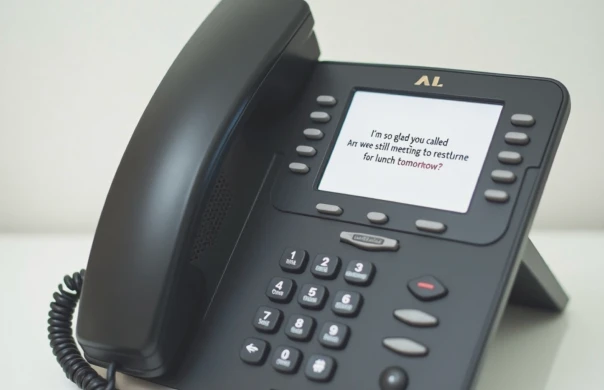
TrueCaptions home phone
The TrueCaptions phone displays real-time captions on a simple, easy-to-use screen. Designed for home use, it works just like a regular landline — but with the added clarity of on-screen captions for every conversation.
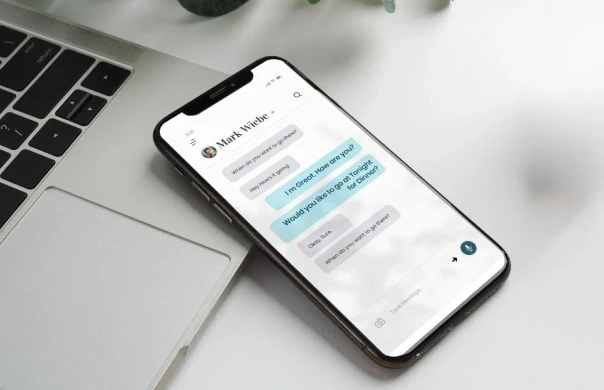
TrueCaptions mobile app
The TrueCaptions phone displays real-time captions on a simple, easy-to-use screen. Designed for home use, it works just like a regular landline — but with the added clarity of on-screen captions for every conversation.
FAQ
Coming soon: Try TrueCaptions Mobile
Take calls on the go and catch every word with mobile caption phone service